Automating Pick and Place Setup
Setting up parts on a pick and place machine is labor-intensive. For a board with 50 parts, this means setting up 50 feeders, manually aligning them to the micron, and testing them. If you're producing just a few boards, it's clear why the setup costs are so high.
For high-mix, low volume assembly, we want to throw a bunch of cut tape strips on the build plate and have the machine figure it out.
Using fairly simple vision techniques, we can automate this end-to-end. Here a process for the LumenPnP and OpenPnP that turns an hour of clicking into a few minutes of autonomous scanning.
Step 1: Training a CLIP-Based Image Classifier
Before scanning, we need a way for the machine to confidently identify what it's looking at. Image embeddings seemes like a strong choice, fast and easy to train a classifier.
First, wrote an OpenPnP plugin that scanned the build plate in a 10mm x 10mm grid. Each image was stored and tagged as feed_tape, empty_feeder, homing_fiducial, build_plate, and integrated_circut for loose parts.
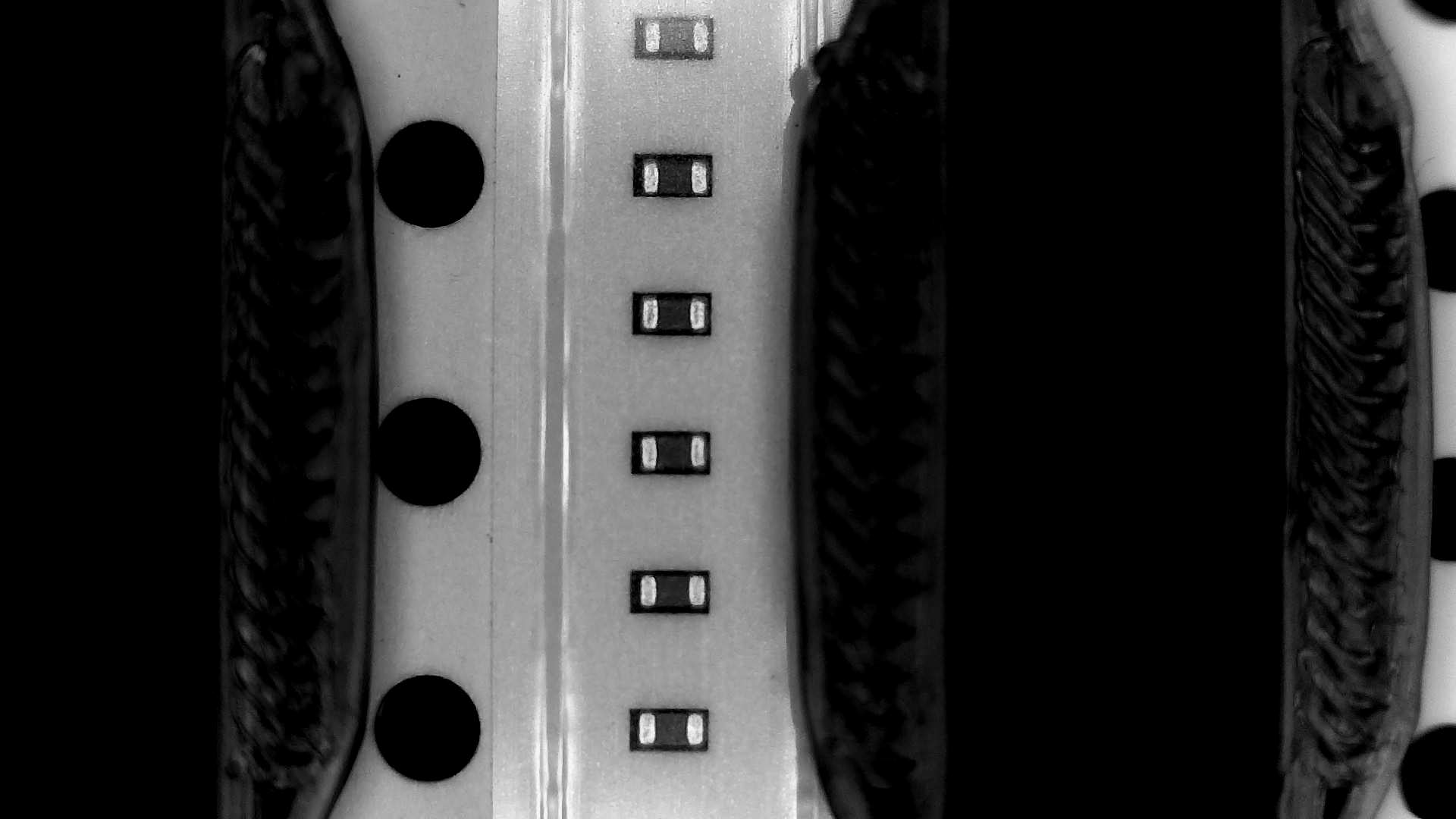
Calculating an embedding for each image, it's straightforward to create an average embedding for each category.
Step 2: Finding Feeders with a Frontier Scan
The build plate on a LumenPnP is large, and scanning the whole thing for each run would take an hour and generate gigabytes of useless data. We can use embeddings and some understanding of the build plate to find parts faster.
We run a coarse scan with a 50mm grid. Each image is classified with the CLIP classifier, giving a rough outline of the board.
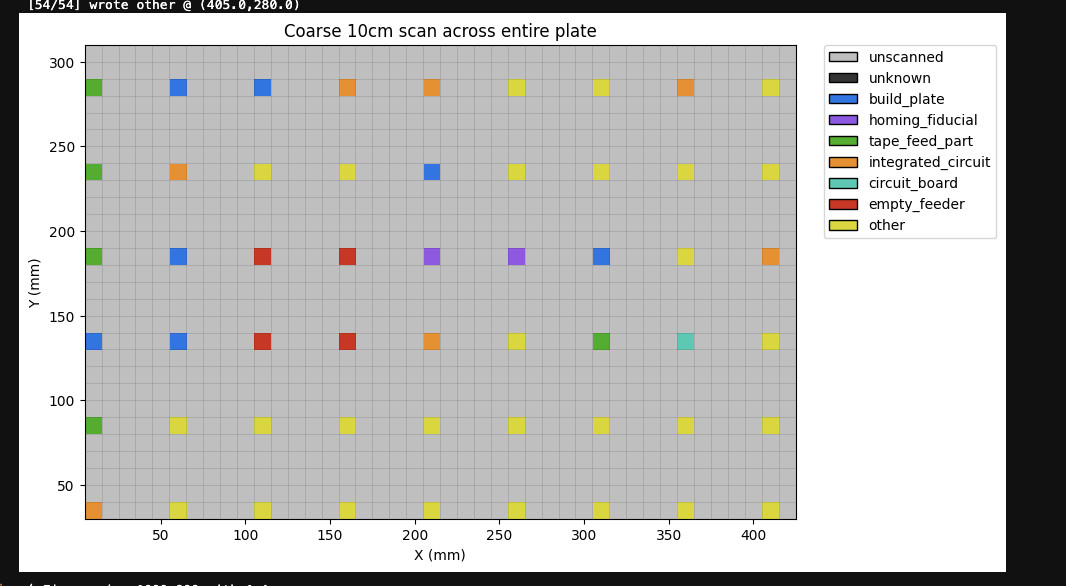
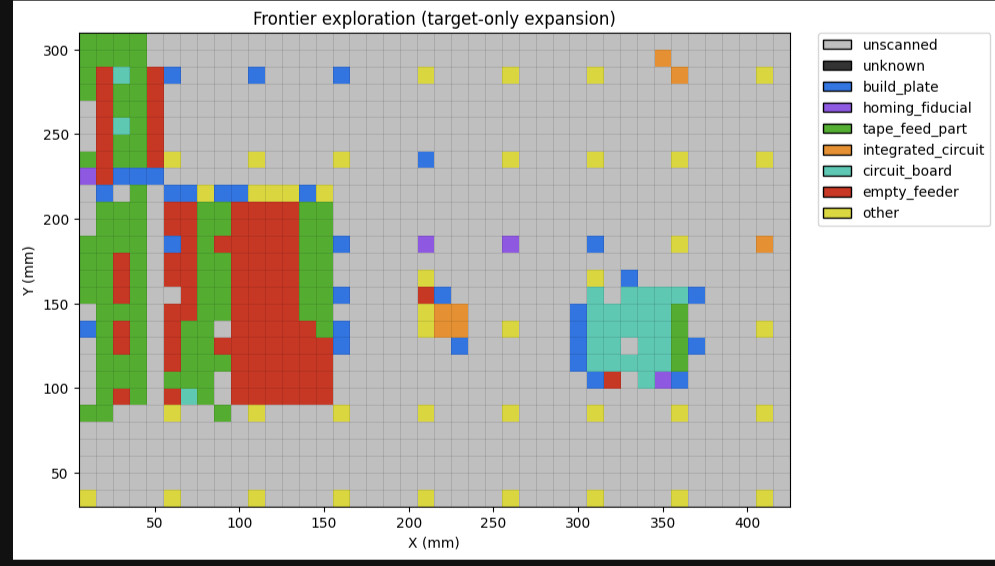
This gives a decent starting point where parts are placed on the board. Next, we do a frontier scan- for every point in the coarse can that looked like it might be a part, expand outward to it's neighbors. Repeat until you find something uninteresting (e.g. `build_plate). This significantly cuts down the number of scans.
Step 3: Precision Detection with YOLO
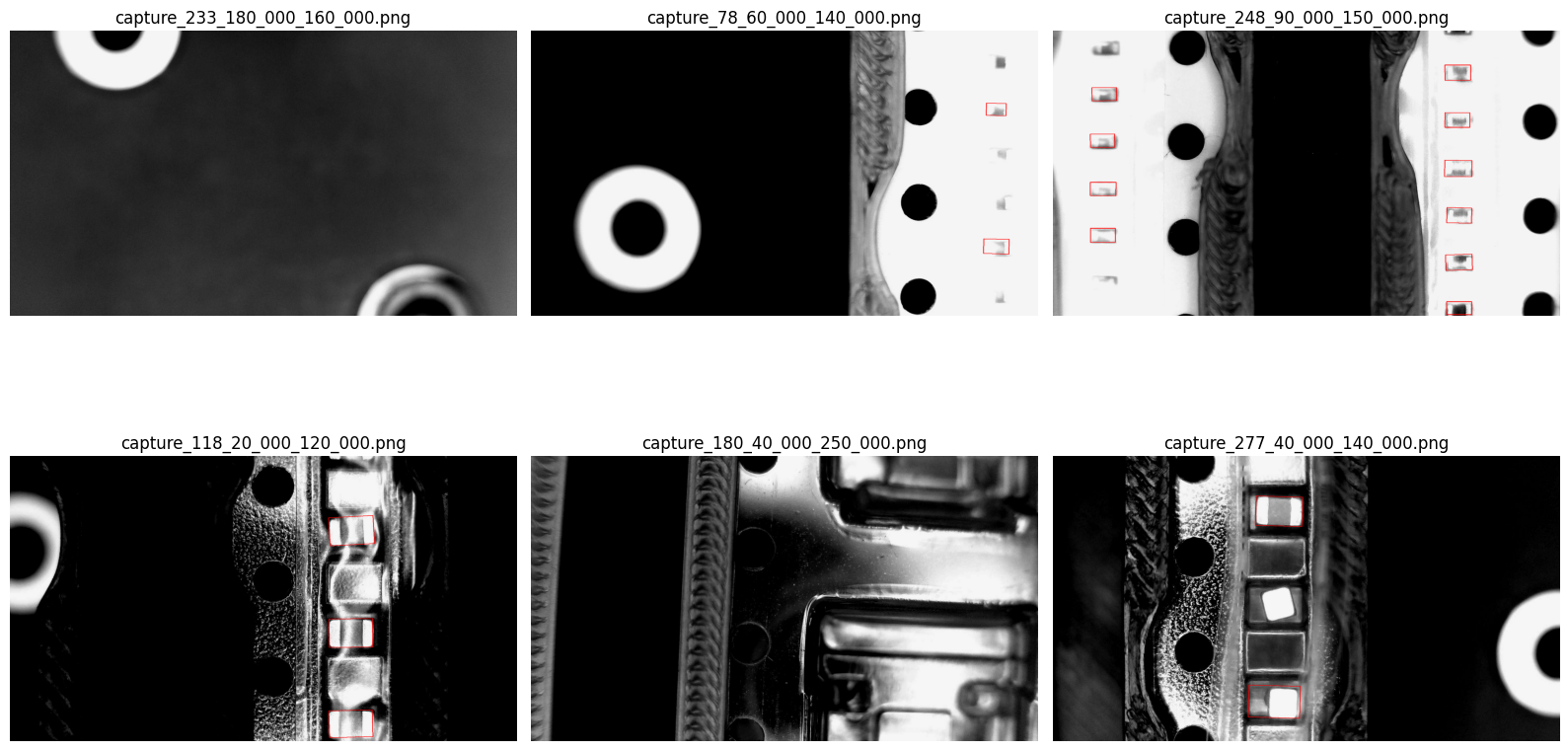
Now that we roughly know where parts are placed, we want to start organizing them into feeders. We use YOLO for bounding box detection- YOLO11 is fast, easy to train, and able to detect orientation as well. It's probably a little overkill to find the exact location of every part on the board, but also lets use develop a loose-part feeder, like a bunch of parts laid out on a tray.
To do this, we took a scan of parts on a build plate and manually drew bounding boxes around each part. It really doesn't require that much data (~1000 images) to get this running well.
Step 4: YOLO, Sim-to-Real
We ran YOLO over each image in the frontier scan, returning approximate bounding boxes for every single part on the board.
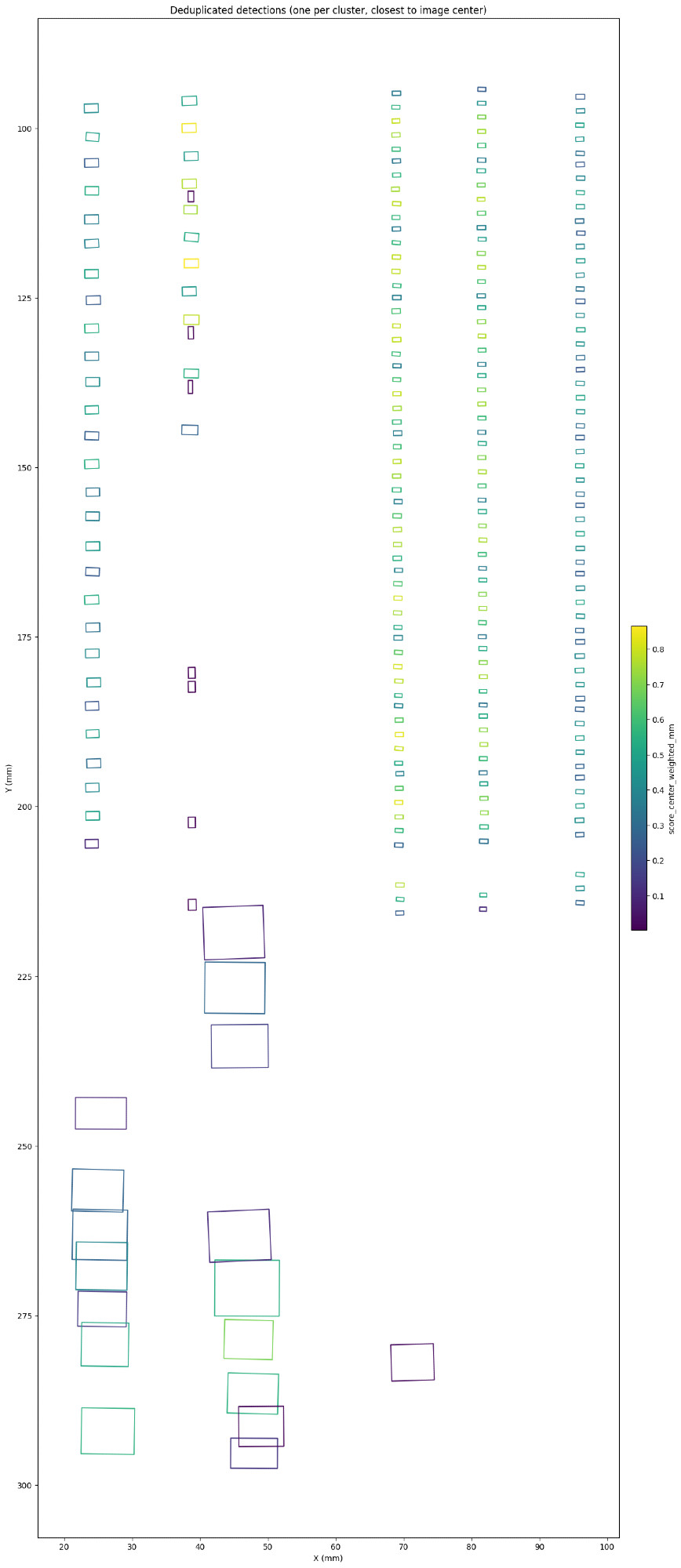
Unfortunately it doesn't account for affine projection issues, the image is warped as it moves to the edges, so bounding boxes for parts on the edges are less accurate than those in the middle. This can be resolved with an image transformation, but still did another second-pass on each part to make sure it's totally aligned.
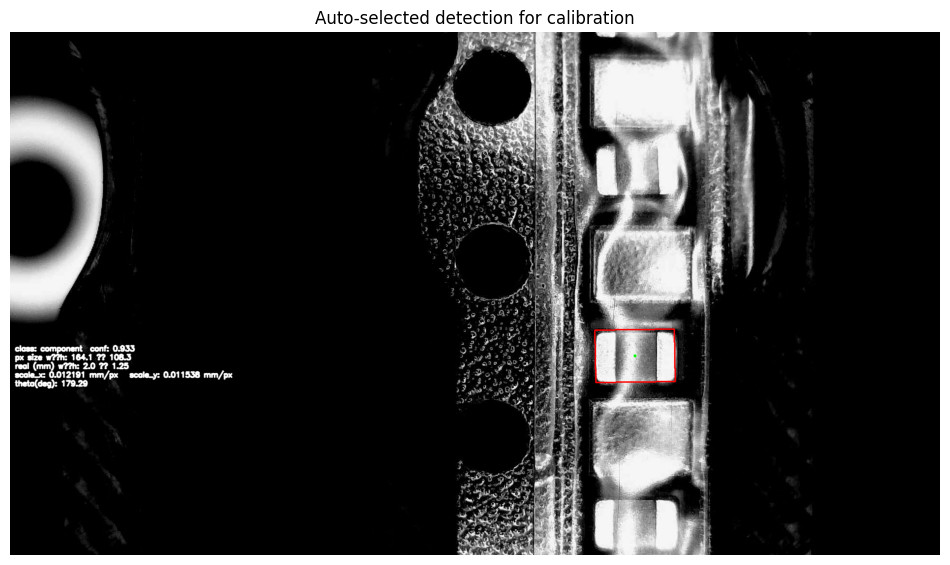
Also cool, with a known part size- like this 0805 cap- we can use the bounding box to calculate the camera's pixel/mm scaling factor:
scale_x = 0.01219 mm/pxscale_y = 0.01154 mm/px
Step 5: Generating the Config
Looking for aligned bounding boxes, we can output XML for feeder trays. This can be copied directly into the OpenPnP machine config file.
<?xml version='1.0' encoding='utf-8'?>
<feeders>
  <feeder class="org.openpnp.machine.reference.feeder.ReferenceTrayFeeder" version="1.1" id="FDRb4409428aab3416c" name="ReferenceTrayFeeder_01" enabled="true" part-id="PART1" retry-count="3" feed-retry-count="3" pick-retry-count="0" tray-count-x="1" tray-count-y="3" feed-count="0">
    <location units="Millimeters" x="9.051381848879" y="212.141880979531" z="3.0" rotation="0.0" />
    <offsets units="Millimeters" x="0.0" y="1.87892872582" z="0.0" rotation="0.0" />
  </feeder>
  <feeder class="org.openpnp.machine.reference.feeder.ReferenceTrayFeeder" version="1.1" id="FDR5ed5bd9555024d75" name="ReferenceTrayFeeder_02" enabled="true" part-id="PART2" retry-count="3" feed-retry-count="3" pick-retry-count="0" tray-count-x="1" tray-count-y="6" feed-count="0">
    <location units="Millimeters" x="21.424561692896" y="210.769439090039" z="3.0" rotation="0.0" />
    <offsets units="Millimeters" x="0.0" y="1.969845062471" z="0.0" rotation="0.0" />
  </feeder>

  ...

</feeders>
The Result
For a board with 50 unique parts, this process removes over an hour of tedious, manual, error-prone clicking. With some models that can be run on a standard laptop, we can run a scan script that fully creates a OpenPnP feeder configuration.